What to Include in a Photography Booking Confirmation
A clear booking confirmation prevents disputes. Here's what photographers should include, from event details and package to payments and cancellation terms.
- The essential details every booking confirmation needs
- Terms that prevent misunderstandings later
- A ready-to-adapt confirmation template
A booking confirmation is your written record of what you and the client agreed. It prevents "but I thought…" conversations later and makes you look professional.
This is general business information, not legal advice. For formal contracts, consider professional help.
Essential details
| Section | Include |
|---|---|
| Client | Full name, phone, email |
| Event | Type, date, start and end times |
| Venue | Name and address (and multiple venues if needed) |
| Package | What's included: hours, photographers, deliverables |
| Price | Total package value |
| Payments | Advance received, balance, due dates |
| Delivery | Format and timeline |
| Terms | Cancellation, rescheduling, extra hours |
Terms worth stating clearly
- Cancellation: is the advance refundable? Within what time frame?
- Rescheduling: can the date move, and is there a fee?
- Extra hours: the rate for overtime.
- Travel: who covers travel and accommodation for outstation events.
- Delivery timeline: when the client will receive previews and final photos.
- Usage: whether you can use selected photos in your portfolio.
Sample booking confirmation
Booking confirmed: [Client name] Event: [Wedding reception] Date and time: [Saturday, 14 February, 6 pm–11 pm] Venue: [Venue name, address] Package: [Name] — [X hours, Y photographers, Z edited photos, online gallery] Total: ₹[total] Advance received: ₹[amount] on [date] Balance: ₹[balance], due [date] Delivery: previews within [X] days, full gallery within [Y] weeks Cancellation: [terms] Extra hours: ₹[rate] per hour Thank you for choosing [your name/studio]!
How to send a booking confirmation
- Confirm verbally first. Make sure the client has agreed to the package and advance.
- Record the booking in your calendar with status "confirmed."
- Log the advance payment.
- Send the confirmation in writing, by WhatsApp or email.
- Ask the client to reply "confirmed." That's a simple written acknowledgement.
- Set reminders for the next payment and pre-shoot message.
Make it fast
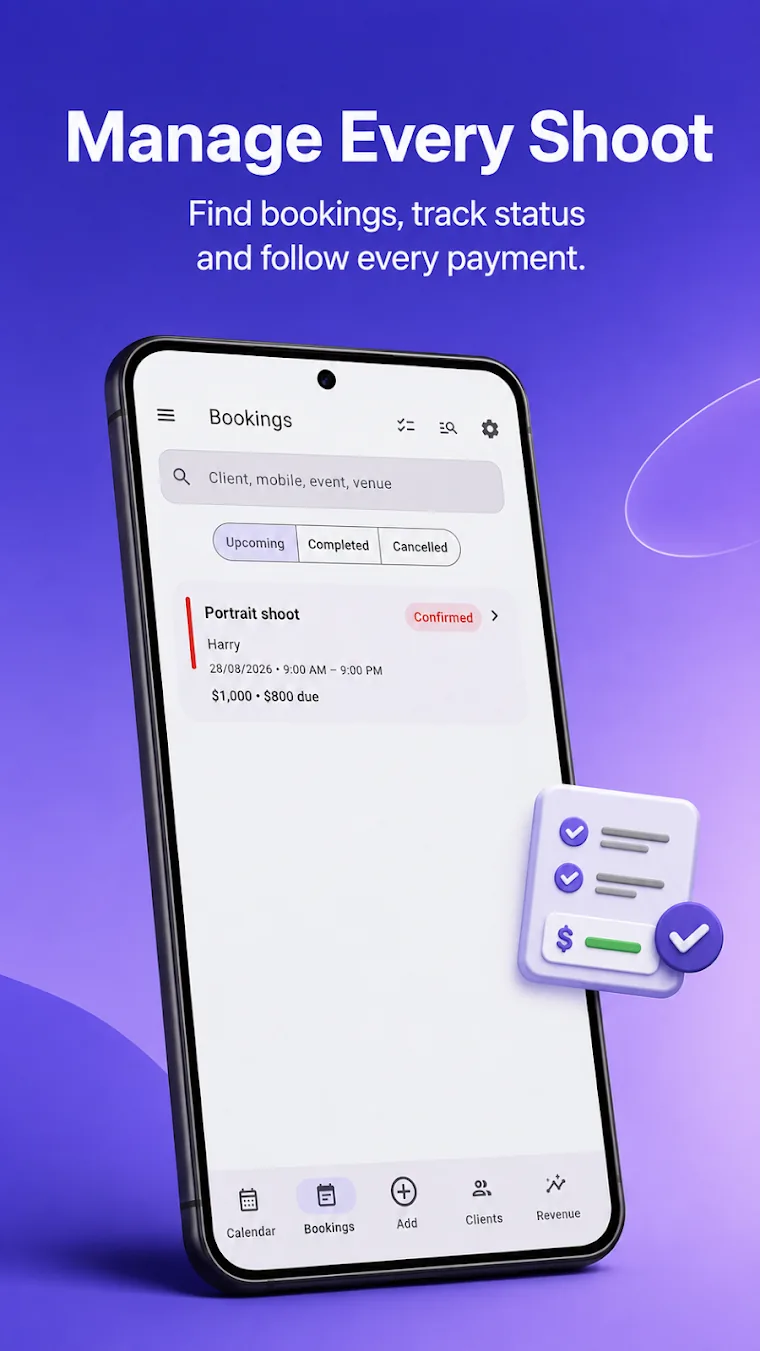
LensDesk keeps all the details for a confirmation in one booking, including client contacts, venue, event type, package value, payments and balance, and can open a ready-to-send booking message with your name and number. More templates: WhatsApp messages for photographers.
Key takeaways
- Include client, event, venue, package, price, payments, delivery and terms.
- State cancellation, rescheduling, extra hours and travel clearly.
- Send it in writing and ask the client to acknowledge it.
- Record the booking and payment before sending.
Frequently asked questions
What should a photography booking confirmation include?
Client and event details, venue, package, price, payments, delivery timeline and key terms like cancellation.
Is a WhatsApp confirmation enough?
For many smaller shoots, a written WhatsApp confirmation acknowledged by the client works well. Larger events may benefit from a formal contract.
When should I send the booking confirmation?
As soon as the advance is received and the booking is confirmed.
Should I include a cancellation policy?
Yes. Clear cancellation and rescheduling terms prevent disputes later.

We're an independent app studio in Pune, India. We build LensDesk-Photographer Calendar and write these guides from what we learn making it and from the questions our users send us. Spotted an error? Email qunovixtechnologies@gmail.com.