Screen Time for Kids: Guidelines by Age and How to Make It Count
How much screen time is okay for young children? See WHO and paediatric guidelines by age, how to choose quality content, and tips for healthy screen habits.
- What WHO and paediatric organisations recommend by age
- How to tell high-quality screen time from low-quality
- Practical rules that make screen time healthier
Phones and tablets are part of family life, and many parents wonder how much screen time is okay. Health organisations have published guidance, and the general message is clear: for young children, less is better, and quality and co-viewing matter.
Guidelines by age
| Age | WHO (2019) | American Academy of Pediatrics |
|---|---|---|
| Under 1 year | No screen time | Avoid screens other than video chatting (under 18 months) |
| 1 year | No sedentary screen time | 18–24 months: high-quality content with a parent, if any |
| 2 years | No more than 1 hour; less is better | Up to 1 hour a day of high-quality programming |
| 3–4 years | No more than 1 hour; less is better | Up to 1 hour a day, watched or played together |
The Indian Academy of Pediatrics has issued similar advice, discouraging screen exposure for children under 2 and recommending limited, supervised screen time for 2–5 year-olds.
Why the limits?
Young children learn most from real-world play, conversation, movement and sleep. Screen time can displace these, especially active play and sleep. The guidelines aren't saying screens are harmful in themselves, but that they shouldn't crowd out what young children need most.
Quality matters
| Higher quality | Lower quality |
|---|---|
| Educational, age-appropriate content | Fast, flashy content with little to learn |
| Interactive (tapping, choosing, creating) | Passive, endless autoplay |
| Done together with a parent | Used alone for long periods |
| Clear start and end | No natural stopping point |
| Calm pace | Constant rewards and noise |
Make screen time count
- Play together. Talk about what's on screen: "What's that animal? What sound does it make?"
- Choose learning-focused apps. Look for words, numbers, puzzles and creativity.
- Set clear limits. Use a timer and a routine, such as after lunch, not before bed.
- Turn off autoplay. Choose content that ends.
- Keep screens out of bedrooms and mealtimes.
- Connect it to real life. After learning "apple" on screen, find a real apple together.
Use parental controls
- Use a parents-only area in apps to protect settings.
- On Android, use Google Family Link to manage apps and time limits.
- Turn off in-app purchases or require approval.
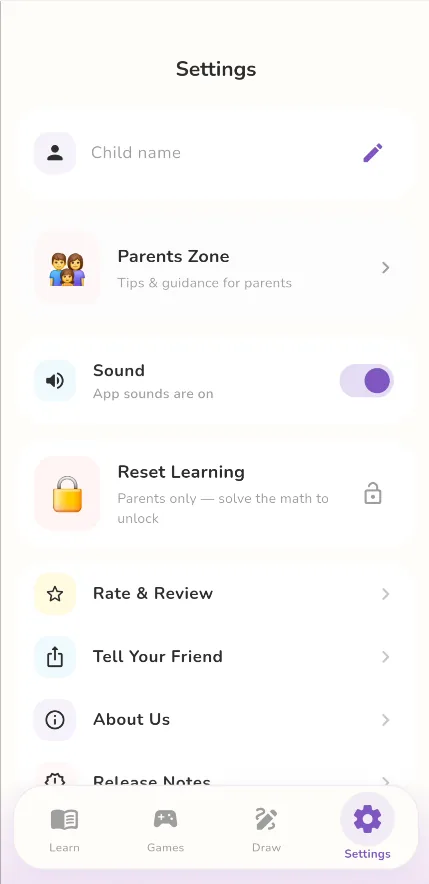
KidsEnglish has a parents-only area protected by a number check, where you can change the child's name, sound and progress settings. Read more about choosing learning apps for kids.
Balance with offline learning
For every screen activity, there's a hands-on version: learning games at home, drawing, building letters with playdough or reading picture books together.
Key takeaways
- WHO recommends no screen time under 1 and no more than 1 hour for ages 2–4.
- Quality, interactivity and co-viewing matter as much as minutes.
- Set routines, turn off autoplay and keep screens out of bedrooms.
- Balance screen learning with real-world play and conversation.
Frequently asked questions
How much screen time is okay for a 3-year-old?
WHO and AAP guidance suggests no more than 1 hour a day of high-quality content for 2–5 year-olds, ideally with a parent.
Is educational screen time better?
Educational, interactive content used together with a parent is generally better than passive viewing, but limits still apply.
Should toddlers use learning apps?
For children over 2, short sessions of high-quality learning apps, ideally with a parent, can be part of a balanced day.
How do I limit my child's screen time?
Use routines, timers and parental controls like Google Family Link, and offer appealing offline activities.

We're an independent app studio in Pune, India. We build Kids English and write these guides from what we learn making it and from the questions our users send us. Spotted an error? Email qunovixtechnologies@gmail.com.